Adding C4S+ Exclusive Content
You can upload clips that are made exclusively available to your C4S+ subscribers without adding them to your Clips4Sale store.
How to set up exclusive content:
Navigate to Step 3: Publish when uploading or editing a clip in the Creator Workspace.
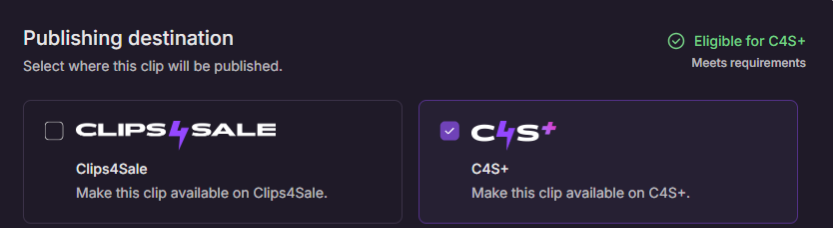
Scroll to the Publishing destination section.
Uncheck the Clips4Sale box.
Ensure the C4S+ box is checked.
Note: If the clip is ineligible for C4S+, the C4S+ checkbox will be grayed out and cannot be selected.
Select Publish Now (or Schedule for Later) and click Publish.
Was this article helpful?
That’s Great!
Thank you for your feedback
Sorry! We couldn't be helpful
Thank you for your feedback
Feedback sent
We appreciate your effort and will try to fix the article